Key Takeaways
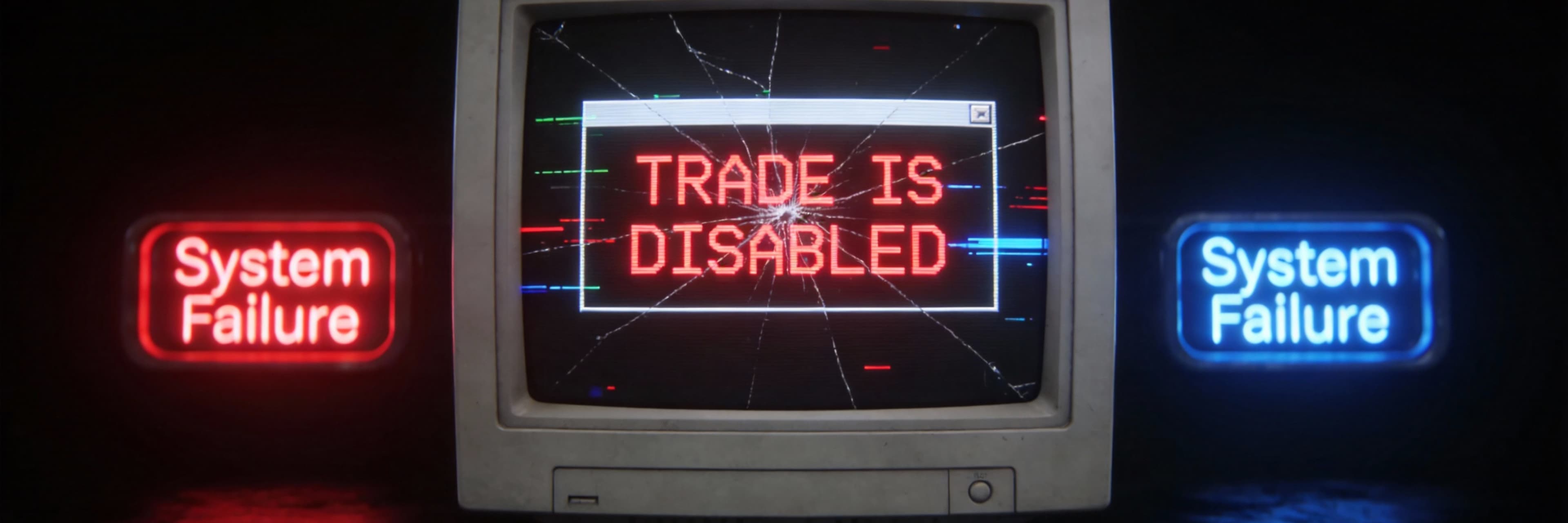
- Identify the Root Cause: The "Trade is Disabled" error is typically a platform-level restriction (like read-only mode) rather than a software crash.
- Check Your Credentials: Logging in with an investor password is the most common reason for disabled trading buttons.
- Verify Symbol Validity: Ensure you are trading active market watch symbols; greyed-out symbols often indicate expired contracts or incorrect account suffixes.
- Broker-Side Status: Account inactivity, failed KYC, or broker server maintenance can result in temporary trading suspensions.
- Technical Environment: Running MT4 with administrative rights and configuring firewalls ensures the terminal can communicate effectively with the trade server.
What Does 'Trade is Disabled' Mean on MT4?
Encountering the mt4 trade is disabled error during order placement can be a jarring experience, especially when the markets are moving and you are ready to execute a strategy. However, it is important to understand that this message is rarely a sign of a software crash or a terminal failure. Instead, it is a specific status notification indicating that the platform is functioning correctly but has been restricted from sending new orders to the broker's server.
Defining the Error
When you see "Trade is Disabled," it means your MetaTrader 4 terminal has successfully connected to your broker, and you are likely seeing live price updates and moving charts. However, the New Order button may be greyed out, or you may receive a pop-up alert preventing the execution of a trade.
Unlike a "Market Closed" message—which simply means the trading session for that specific instrument has ended for the day or weekend—a "Trade is Disabled" error suggests a restriction at the account or symbol level that persists even while the market is active.
Key Indicators of a Disabled Trade Status
To determine if you are facing this specific restriction, look for the following symptoms within your terminal:
- Greyed-out Execution Buttons: The "Buy" and "Sell" buttons in the order window are inactive.
- One-Click Trading Failure: Clicking the quick-trade buttons on the chart results in no action.
- Terminal Alerts: A specific notification in the "Toolbox" or "Journal" tab explicitly stating "Trade is disabled."
- Restricted Symbol Specifications: If you right-click a symbol in the Market Watch and select "Specifications," you may find that "Trade" is set to "No" or "Disabled."
📉 Error Diagnosis Table
| Error Message | Visual Symptom | Price Action? | Likely Cause |
|---|---|---|---|
| Trade is Disabled | Buttons Greyed Out | Yes (Moving) | Investor Password / Account Freeze |
| Market Closed | Buttons Active but Fail | No (Frozen) | Weekend / Holiday |
| No Connection | "Waiting for Update" | No (Frozen) | Internet / Server Down |
1. Check if You Logged In with an Investor Password
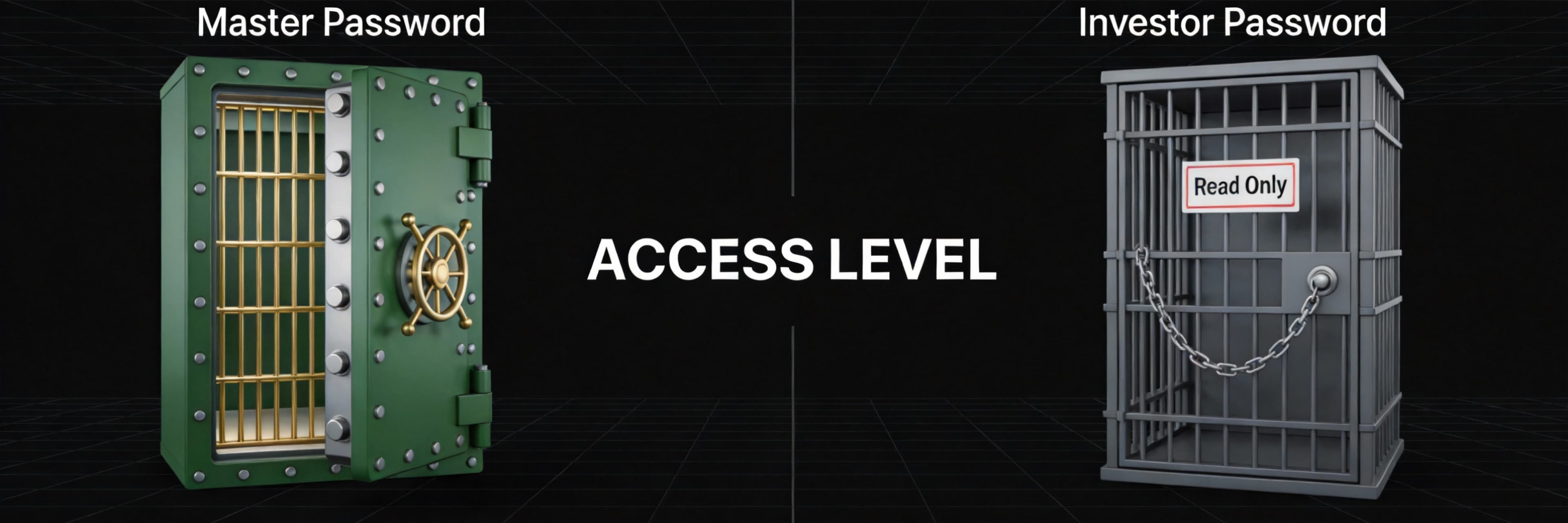
One of the most frequent reasons you might encounter the mt4 trade is disabled error during order placement is that you have logged into your account using the investor password rather than the master password.
In MetaTrader 4, there are two distinct levels of access. The master password grants full authority over the account, including the ability to open, modify, and close trades. In contrast, the investor password provides "read-only mode." This feature is designed for transparency, allowing auditors, copy-trading services, or potential investors to view live charts, account balance, and historical performance without the risk of unauthorized trading or fund withdrawals.
The "Read-Only" Trap
When you are logged in with an investor password, the platform will look completely functional at first glance—your balance will update, and price action will move in real-time. However, the system intentionally restricts all execution capabilities. You will notice:
- The "New Order" button is greyed out or unclickable.
- Right-clicking on a chart shows the trading options are disabled.
- Attempting to drag an Expert Advisor (EA) onto a chart results in no action.
💡 Manic Tip: Tired of password confusion? On Solana DEXs like Manic, your wallet is your password. No "Investor Mode," no "Read Only." Just connect and trade. See why we switched in DEX vs. CEX: Finding the Ultimate Battleground for Solana Scalpers.
2. Verify Account Authorization and Server Status
When your terminal cannot communicate effectively with the broker's execution engine, the first logical step is to audit your connection integrity. Much like secure server checks used to verify availability, MetaTrader 4 requires a continuous, authenticated handshake with the trade server to permit order flow.
Check the Connection Status Icon
The most immediate indicator of your account's health is located in the bottom right corner of the MT4 platform. This status bar displays the connection speed and data flow.
- Green/Blue Bars: Indicates a healthy connection.
- Red Bars or "No Connection": This signifies a total loss of communication.
- "Invalid Account": This suggests that while you are reaching the server, the authorization has failed.
Differentiating Between Live and Demo Servers
A common cause for the "Trade is Disabled" error is attempting to log into a live account using a demo server. Brokers often maintain multiple clusters of servers to manage traffic. Before attempting to place another trade, ensure you have selected the precise server name provided in your account registration email. If your broker is undergoing maintenance, the connection may appear active, but the execution of new orders will be temporarily suspended.
3. Ensure the Trading Symbol is Not 'Expired' or 'Greyed Out'
One of the most common reasons you encounter the mt4 trade is disabled error during order placement meaning you cannot execute a position is that you are attempting to trade an inactive or "expired" instrument.
Identifying "Greyed Out" Symbols
When you look at your Market Watch symbols, you might notice that some currency pairs or commodities appear light grey instead of black. This visual cue usually indicates that the symbol is in "read-only mode." While you can still view the historical chart and see real-time price movements, the new order button greyed out status prevents any actual trading activity.
Brokers often disable specific symbols for several reasons:
- Suffix Requirements: Many brokers require specific suffixes based on your account type (e.g., trading EURUSD.stats instead of the standard EURUSD).
- Contract Expiration: For CFDs on futures, such as Oil or certain Indices, the contract may have expired, requiring you to switch to the current month's symbol.
- Market Closures: A gray prohibited symbol often appears when a market is closed for a specific instrument.
🛠️ Quick Fix: Finding the Right Symbol
- Right-Click in Market Watch.
- Select "Show All".
- Scroll to find the Black Text version of your pair (e.g., XAUUSD.pro).
- Drag that specific symbol to the chart.
4. Confirm Your Account hasn't been Disabled by the Broker
If you have verified your login credentials, the issue likely stems from a restriction at the broker level. Unlike client-side technical glitches, a disabled account means the broker’s server has intentionally revoked your trading privileges.
Common Reasons for Account Deactivation
- Inactivity and Dormancy: Many brokers categorize an account as a dormant trading account if there has been no activity for a prolonged period, typically 6 to 24 months.
- Failed KYC or Verification Issues: In the United States, brokers are required to maintain up-to-date documentation. If your ID has expired, the broker may restrict your ability to open new orders.
- Security Investigations: If the broker detects suspicious activity, they may disable the account to conduct an internal investigation.
- Insufficient Margin or Negative Balance: If your account has fallen below the required maintenance margin, the system may disable trading to prevent further losses.
5. Check for Market Holidays and Server Maintenance
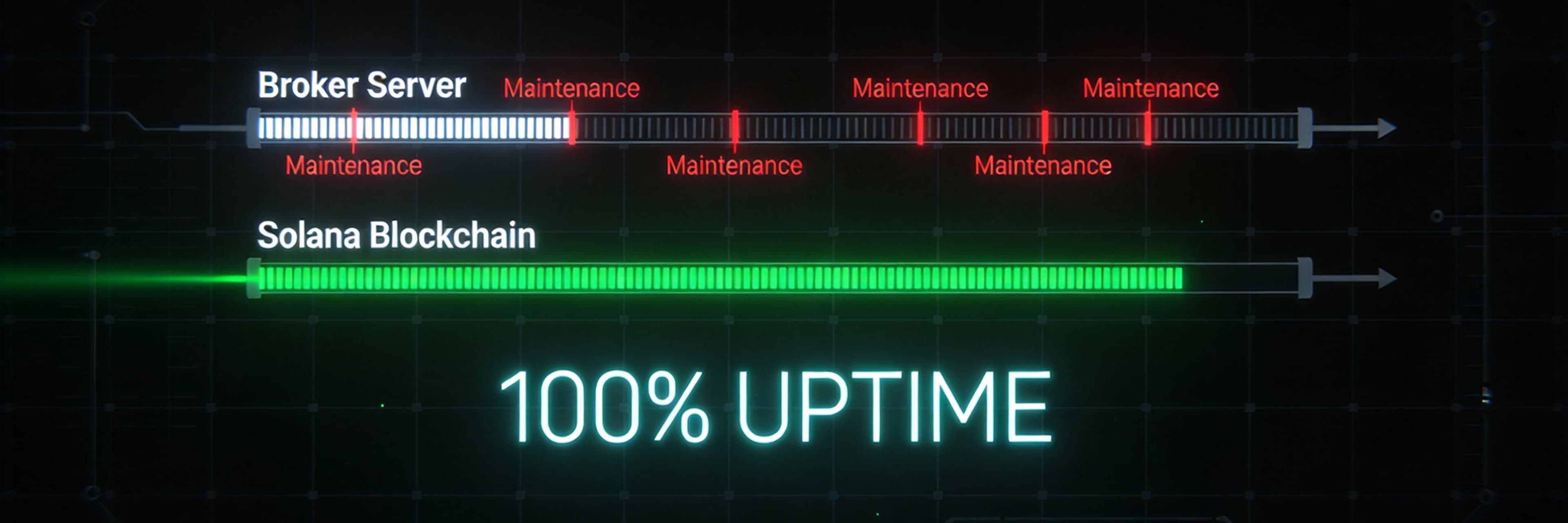
Often, the reason you cannot execute a trade is simply that the market is taking a break. The most common reason for seeing a disabled trade status is trying to trade during a weekend or a national holiday. Major exchanges like the NYSE align with U.S. federal holidays, meaning they close on days such as New Year’s Day or Independence Day.
Understanding Market Hours and Holidays
It is vital to confirm the session time in your broker’s timezone. MT4 servers often operate on Eastern European Time (EET), which may differ significantly from your local time in the United States.
To stay ahead of these pauses:
- Verify the annual holiday calendar: Check official exchange notices for scheduled early-close dates.
- Monitor Market Watch symbols: If a symbol is greyed out, it usually indicates the market for that specific instrument is closed.
- Broker Server Maintenance: Brokers occasionally perform maintenance to ensure stability, usually during low-volume periods like late Friday night.
🚀 Trade 24/7: Crypto never sleeps. While MT4 brokers close for the weekend, Solana DEXs are printing candles. Don't let "Market Closed" stop your hustle. Start trading CME Gaps on the weekend.
Advanced Fixes: Firewall, Admin Rights, and Reinstallation
When standard troubleshooting fails, the issue likely stems from deeper OS-level permissions. These fixes address the environment in which MetaTrader 4 operates.
1. Run MT4 with Administrative Privileges
Windows may restrict the software from accessing network protocols. Right-click the MT4 icon and select "Run as administrator." To make this permanent, go to Properties > Compatibility and check the box for "Run this program as an administrator."
2. Configure Windows Defender and Firewalls
Your security software may perceive MT4’s outgoing trade requests as suspicious activity. Ensure both "MetaTrader 4" and "terminal.exe" are allowed through your firewall for both Private and Public networks.
3. Adjust User Account Control (UAC)
Recent Windows updates have tightened security. If your MT4 installation is corrupted, strict UAC settings might prevent a background repair from completing.
4. Perform a Clean Reinstallation
If the error persists, the software files themselves may be compromised.
- Uninstall MT4 via the Control Panel.
- Manually delete the remaining folders in AppData\\Roaming\\MetaQuotes.
- Download a fresh installer directly from your broker’s official website.
- Reinstall to a new directory (e.g., C:\\MT4_New) to avoid permission conflicts.
Summary Checklist: How to Prevent Trade Errors in the Future
Experiencing a "trade is disabled" error during order placement can be avoided with a proactive approach. Using a structured preparation routine ensures your MT4 platform is always "trade-ready."
Technical Readiness Checklist
🚀 Update: Trade Gold & Silver Without "Disabled" Errors
Did you miss the XAUUSD pump because your broker's server froze during the news? Traditional brokers often disable commodity trading during high volatility.
Manic.Trade has expanded beyond crypto. We now support High-Frequency Price Forecasting for Gold (XAU) and Silver (XAG). You can now trade directional Short-Term Option on commodities directly on-chain.
- No "Market Closed" interruptions.
- No "Trade Disabled" errors.
- Pure execution speed.
👉 Start Trading Gold & Silver Options on Manic Now
FAQ
Why is my 'New Order' button greyed out on MT4?
The most common reason is that you are logged in with an investor (read-only) password. This allows you to see the charts but prevents you from executing trades. Another common reason is that the market for that specific symbol is currently closed or the symbol itself has been disabled by the broker.
Can I fix 'Trade is Disabled' if it's a broker-side issue?
If the broker has disabled your account due to inactivity or missing KYC documents, you must contact their support team or log into your client portal to reactivate the account. If it is due to broker server maintenance, you simply need to wait until the scheduled maintenance window is complete.
How do I know if the market is closed or if it's a technical error?
Check the Market Watch window. If the symbol is greyed out and the prices are not ticking, the market is likely closed. If the prices are moving but you still cannot trade, it is likely an authorization issue (like an investor password) or an account-level restriction.
Does MT4 work on Windows 11 without administrative rights?
While it can work, Windows 11 security features often block the terminal's communication with the trade server. Running MT4 as an administrator is a highly recommended tip to ensure all features, including order execution, function without interruption.
What should I do if I get 'Trade is Disabled' on a Gold (XAUUSD) trade?
First, check if your broker uses a specific suffix (e.g., XAUUSD+ or XAUUSD.m). If you are trading the wrong symbol, the order will be rejected. Secondly, verify the gold trading hours, as gold has specific daily breaks where trading is temporarily disabled.
Explore More Trading Resources
Solved your immediate problem? Go deeper:
- Trading Psychology Guide - Why discipline fails and how architecture solves it
- Momentum Trading Guide - Pattern recognition and execution frameworks
- Speed Advantage Guide - Infrastructure that multiplies edge
Browse all resources: Trading Tools & Resources Hub
Ready to trade with zero friction? → Start on Manic.Trade